Four-tool mapping
See source colors, assign T1–T4, and compare them with the filament reported by the printer before slicing.
Prepare STL and supported 3MF files, map painted colors to the Snapmaker U1’s four toolheads, slice on your phone with Kiri:Moto, preview the G-code, and send it over your local network.
If the store link is unavailable, Apple's public release has not opened yet.
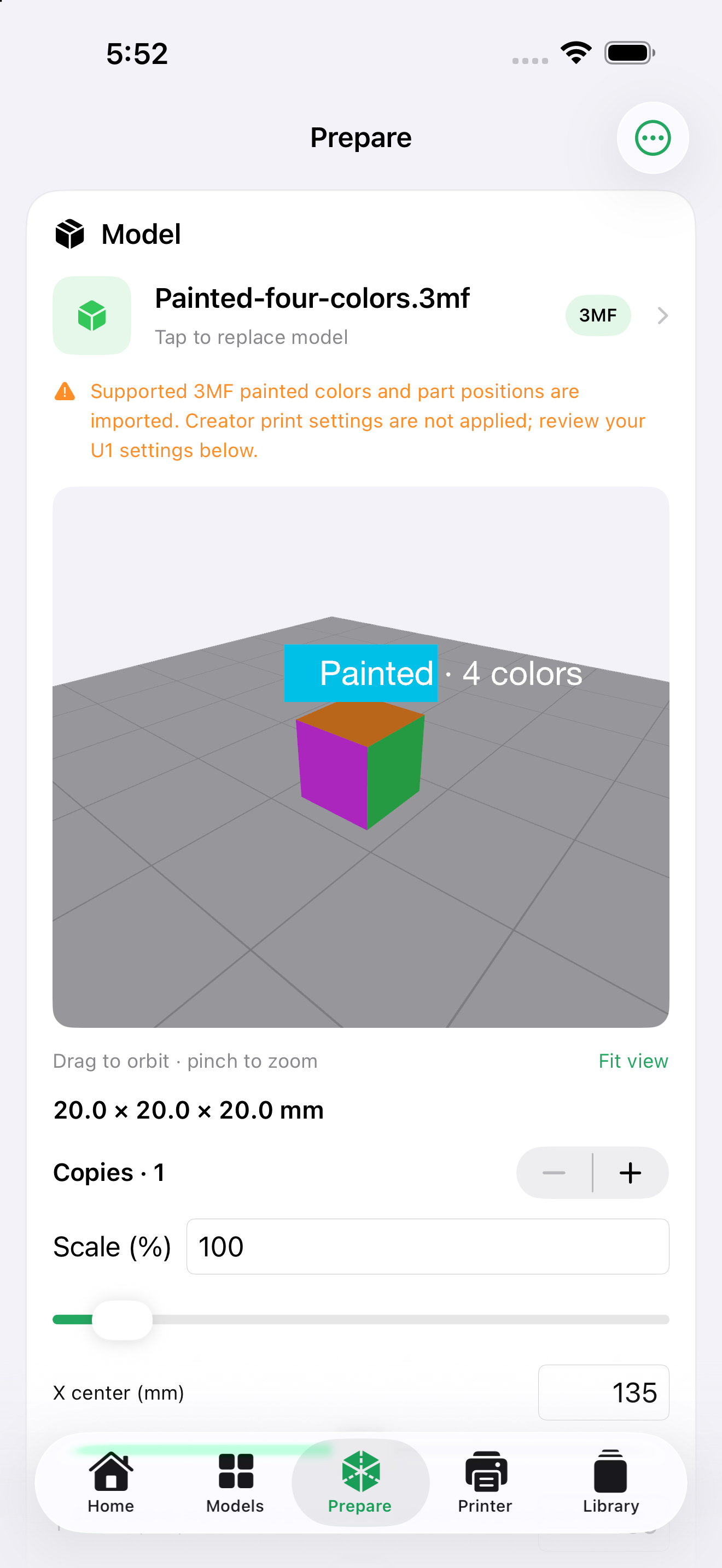
Keep the model, tools, and loaded filament visible as you move from import to printer.
See source colors, assign T1–T4, and compare them with the filament reported by the printer before slicing.
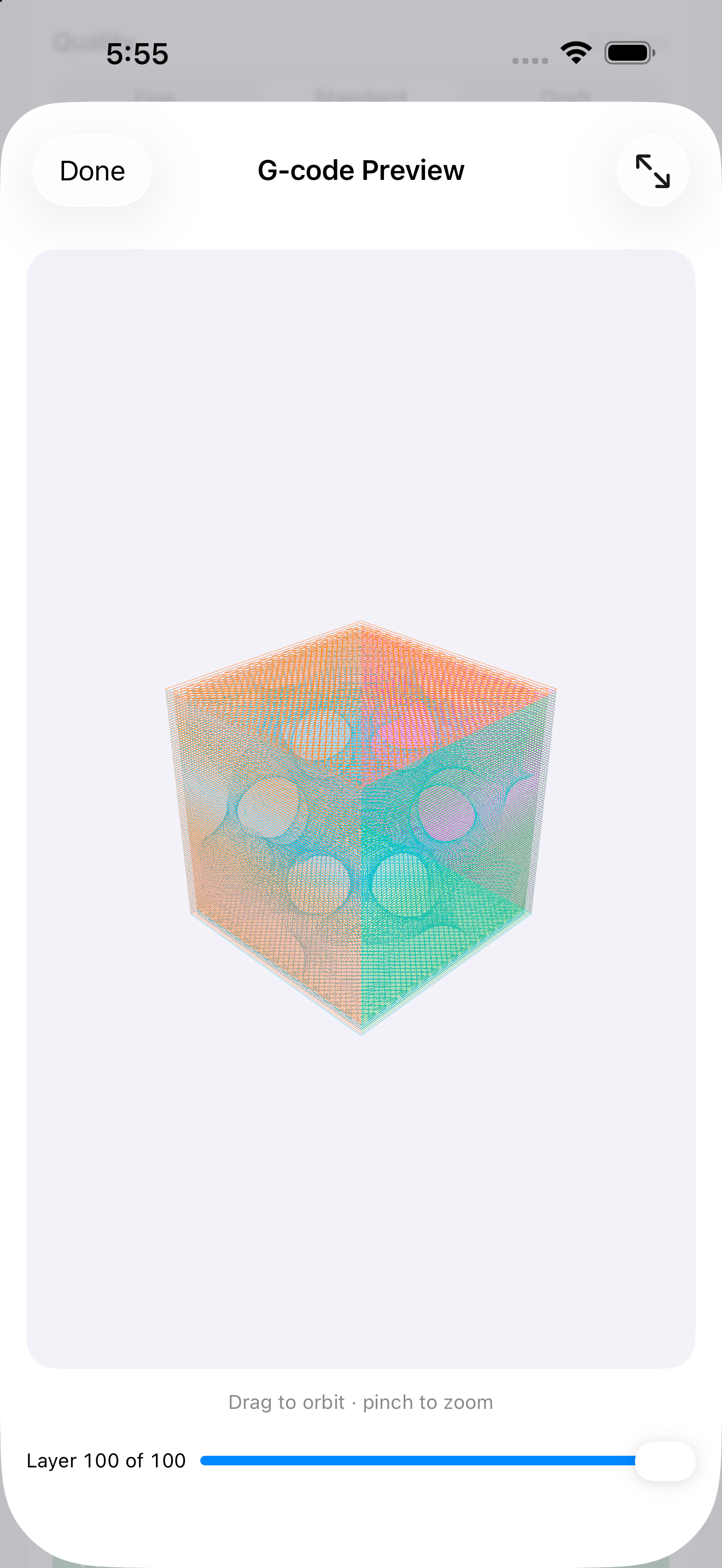
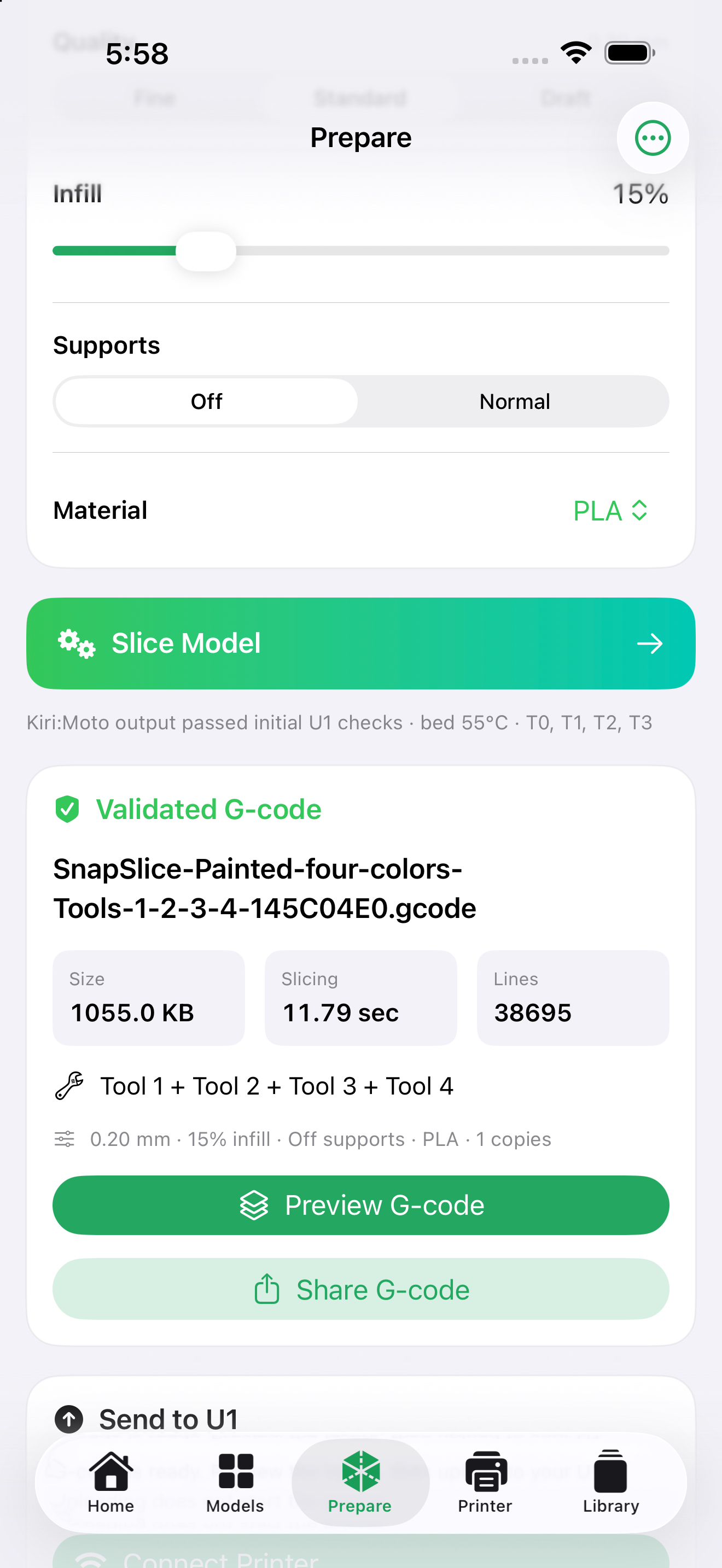
Kiri:Moto runs inside the app. Progress and errors are shown, and completed G-code can be inspected layer by layer.
Upload a file, check print status and history, see loaded filament, and refresh the U1 camera when the printer is reachable.
A model-first Prepare screen makes color assignments and sliced toolpaths easier to inspect.
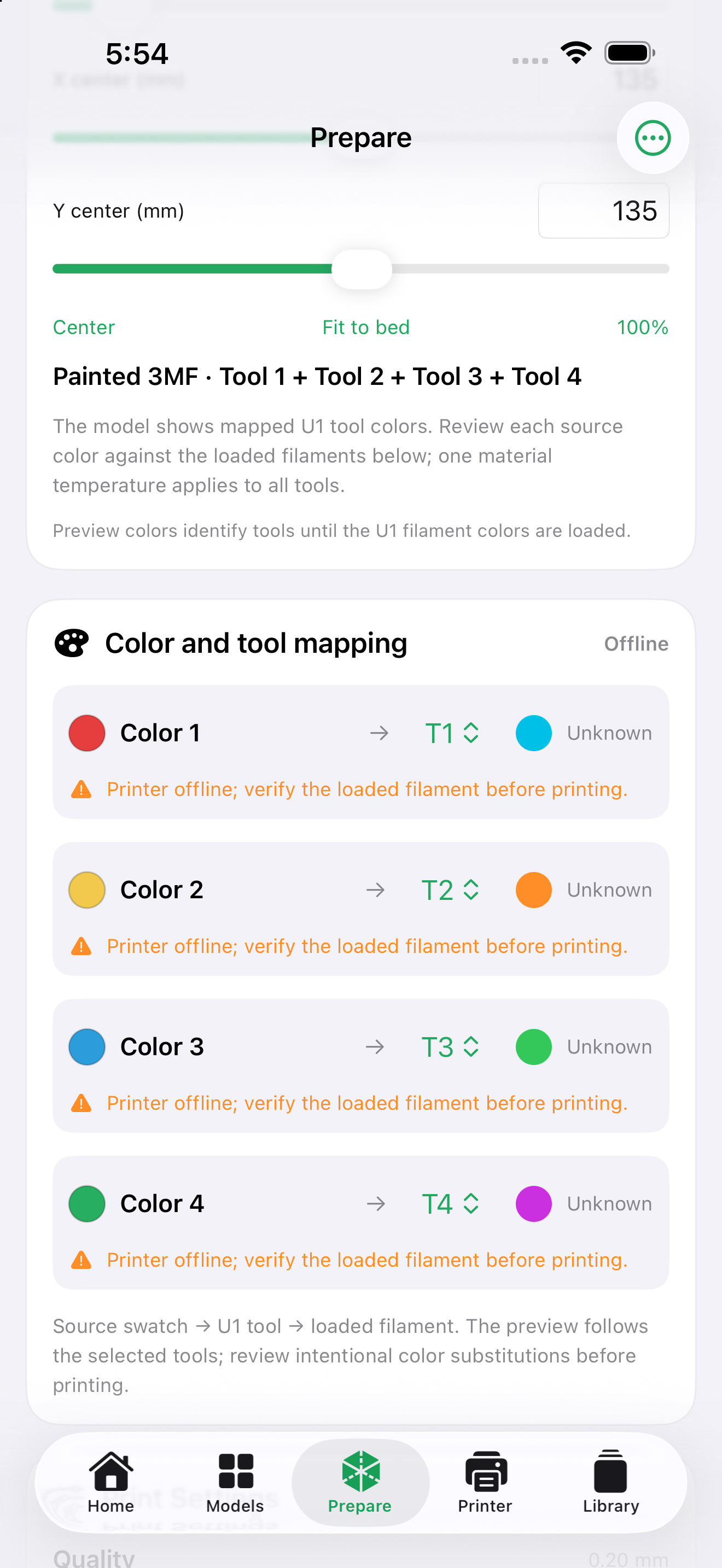
STL and supported 3MF geometry, parts, and painted colors work. Some creator-specific project settings and modifiers do not transfer. SnapSlice does not convert Bambu or Orca profiles to U1 profiles.
Printer features need a reachable U1, normally on the same Wi-Fi. There is no built-in remote relay, background push service, or continuous camera video.
Slicing uses the iPhone’s CPU and memory. Complex files can take longer or exceed device limits. The progress percentage is not a time prediction.
Match each chosen tool to the loaded filament and verify material, temperature, and first layer before starting a print. Different-material support interfaces are not automatically validated.